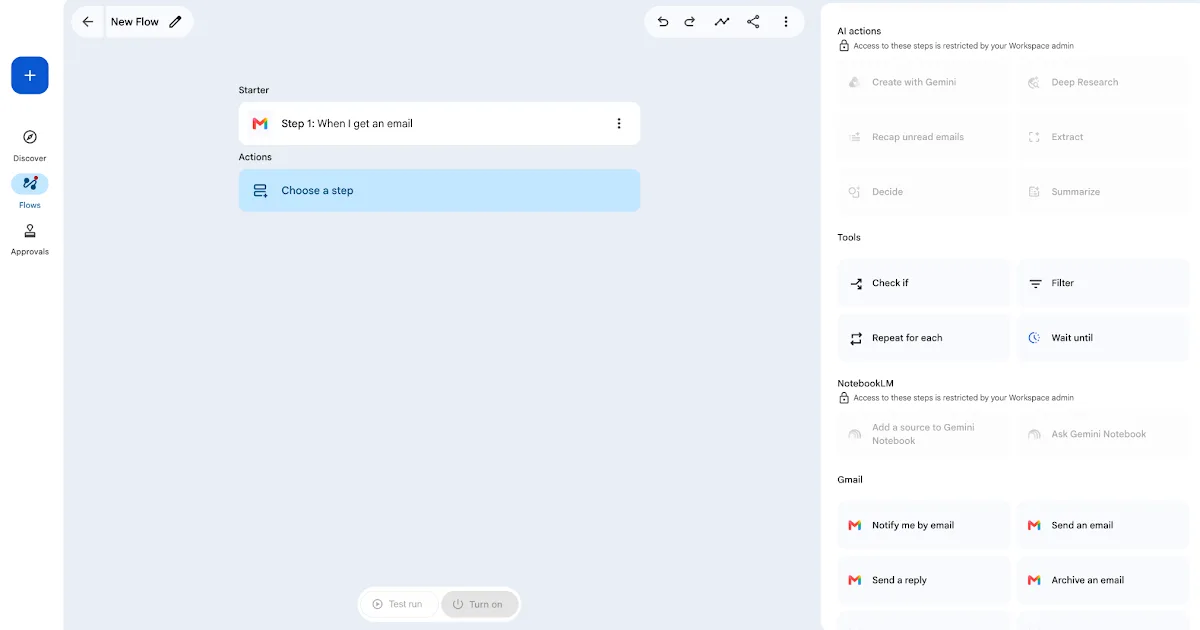
Announcement: On November 20, Google made Data Regions support generally available in Workspace Studio. The core infrastructure for executing and storing workflows with Gmail, Drive, Docs, Sheets, Calendar, Meet and Chat follows an assigned region in the United States or European Union. The gradual rollout began on November 10 and, according to Google, can take up to fifteen days.
The scope differs by plan. According to the announcement, Business Standard, Business Plus and Enterprise Standard receive in-region storage only; Google lists both in-region storage and processing for Enterprise Plus and Frontline Plus. Administrators can block non-regionalised features. This disables steps for Tasks, Forms, Gemini Notebook, webhooks and Drive event triggers, among others, while generative AI steps, natural-language flow creation and skills are unavailable when the required region settings prohibit them.
DigiDare perspective: for a Belgian SME, this is primarily a governance and compliance feature, not an automatic guarantee that every AI action is processed exclusively in the EU. First check your Workspace edition, assigned data region and every connector used by each flow. Test the policy on a separate group, record which steps are blocked and define a manual fallback; combine data regions with least privilege, data classification, audit logs and an assessment of your own contractual and legal obligations.
What does this mean for your business? ↗